
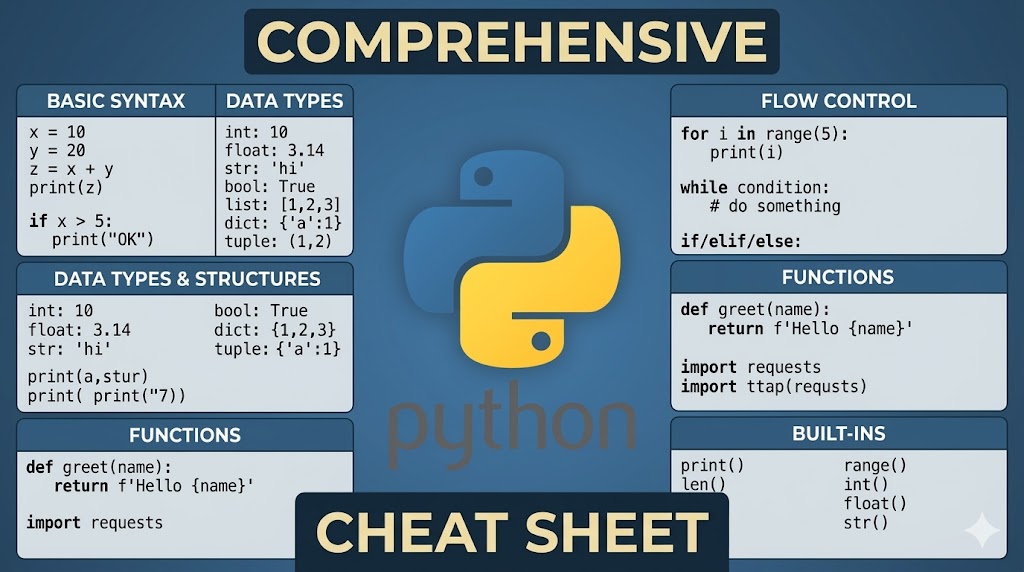
Comprehensive Python Cheat Sheet - Quick Reference Guide
Introduction
Python is a powerful and easy-to-learn programming language, widely used in many fields from web development to data science and artificial intelligence. This document provides a comprehensive cheat sheet to help you master Python concepts from basic to advanced quickly and effectively.
Table of Contents
- Operators in Python
- Data Types
- Variables and Naming Rules
- Comments in Python
- Basic Functions
- Type Conversion
- Flow Control
- Conditional Statements
- Loops
- Functions
- Exception Handling
- List
- Tuple
- Dictionary
- Set
- Comprehensions
- String Operations
- Lambda Functions
- args and *kwargs
- Modules and Import
- Object-Oriented Programming (OOP)
1. Operators in Python
Python provides three main groups of operators to perform calculations and comparisons in programs.
1.1. Arithmetic Operators
Arithmetic operators are used to perform basic mathematical calculations:
| Operator | Description | Example |
|---|---|---|
+ |
Addition | 5 + 3 = 8 |
- |
Subtraction | 10 - 4 = 6 |
* |
Multiplication | 3 * 4 = 12 |
/ |
Division | 15 / 3 = 5.0 |
// |
Floor division | 17 // 5 = 3 |
% |
Modulus (remainder) | 17 % 5 = 2 |
** |
Exponentiation | 2 ** 3 = 8 |
Example:
a = 10
b = 3

print(a + b)   # 13
print(a - b)   # 7
print(a * b)   # 30
print(a / b)   # 3.333...
print(a // b)  # 3
print(a % b)   # 1
print(a ** b)  # 1000
1.2. Comparison Operators
Comparison operators help check relationships between two values and return True or False:
| Operator | Description | Example |
|---|---|---|
== |
Equal to | 5 == 5 → True |
!= |
Not equal to | 5 != 3 → True |
> |
Greater than | 10 > 5 → True |
< |
Less than | 3 < 7 → True |
>= |
Greater than or equal to | 5 >= 5 → True |
<= |
Less than or equal to | 4 <= 6 → True |
Example:
x = 10
y = 20

print(x == y)  # False
print(x != y)  # True
print(x < y)   # True
print(x > y)   # False
print(x <= 10) # True
print(y >= 20) # True
1.3. Logical Operators
Logical operators are used to combine conditions:
| Operator | Description | Example |
|---|---|---|
and |
Both conditions are true | True and False → False |
or |
At least one condition is true | True or False → True |
not |
Reverses the result | not True → False |
Example:
a = True
b = False

print(a and b)  # False
print(a or b)   # True
print(not a)    # False
print(not b)    # True

# Combined with comparison
age = 25
print(age >= 18 and age <= 65)  # True
2. Data Types
Python supports many different data types, each serving specific purposes:
| Data Type | Description | Example |
|---|---|---|
int |
Integer | 42, -10, 0 |
float |
Floating point number | 3.14, -0.5, 2.0 |
str |
String | "Hello", 'Python' |
bool |
Boolean | True, False |
list |
Ordered list | [1, 2, 3] |
tuple |
Immutable tuple | (1, 2, 3) |
dict |
Dictionary (key-value) | {'name': 'John'} |
set |
Set (no duplicates) | {1, 2, 3} |
Example of checking data types:
# Using type() function to check type
print(type(42))           # <class 'int'>
print(type(3.14))         # <class 'float'>
print(type("Hello"))      # <class 'str'>
print(type(True))         # <class 'bool'>
print(type([1, 2, 3]))    # <class 'list'>
print(type((1, 2, 3)))    # <class 'tuple'>
print(type({'a': 1}))     # <class 'dict'>
print(type({1, 2, 3}))    # <class 'set'>
3. Variables and Naming Rules
Variables are names assigned to data values in a program. Python allows you to store and manipulate data through variables.
Variable naming rules:
- Variable names can only contain letters, numbers, and underscores (
_) - Variable names cannot start with a number
- Variable names are case-sensitive (
nameis different fromName) - Cannot use Python keywords as variable names
- Should use meaningful, understandable names
Example:
# Correct
user_name = "John"
age = 25
total_score = 100
is_active = True

# Incorrect
# 2name = "John"  # Cannot start with a number
# user-name = "John"  # Cannot use hyphens
# class = "Python"  # Cannot use keywords
4. Comments in Python
Comments are lines of code that are not executed, helping to explain logic and clarify code meaning.
4.1. Inline Comment
Comment on the same line as code:
x = 10  # Initialize variable x with value 10
result = x * 2  # Double the value of x
4.2. Multiline Comment
Comment multiple lines by using # at the beginning of each line:
# This is a multiline comment
# Helps explain complex logic
# Can write multiple lines like this
def calculate_sum(a, b):
    return a + b
4.3. Docstring
Docstring uses triple quotes to create documentation for functions or classes:
def calculate_area(radius):
    """
    Calculate the area of a circle

    Parameters:
        radius (float): The radius of the circle

    Returns:
        float: The area of the circle
    """
    return 3.14159 * radius ** 2
5. Basic Functions
5.1. print() Function
Print data to the console:
print("Hello, World!")
print(42)
print("Value is:", 100)

# Print multiple values
name = "Python"
version = 3.9
print("Language:", name, "Version:", version)

# Using f-string (Python 3.6+)
print(f"Welcome to {name} {version}")
5.2. input() Function
Receive data from the user:
# Receive string
name = input("Enter your name: ")
print(f"Hello, {name}!")

# Receive number (needs type conversion)
age = int(input("Enter your age: "))
print(f"You are {age} years old")
5.3. len() Function
Calculate the length of strings, lists, tuples, dicts:
text = "Python"
print(len(text))  # 6

numbers = [1, 2, 3, 4, 5]
print(len(numbers))  # 5

data = {'a': 1, 'b': 2, 'c': 3}
print(len(data))  # 3
5.4. ord() and chr() Functions
Convert between characters and Unicode codes:
# ord() - convert character to Unicode code
print(ord('A'))   # 65
print(ord('a'))   # 97
print(ord('0'))   # 48

# chr() - convert Unicode code to character
print(chr(65))    # 'A'
print(chr(97))    # 'a'
6. Type Conversion
6.1. Implicit Conversion
Python automatically converts types when necessary:
# int + float → float
result = 10 + 3.5
print(result)        # 13.5
print(type(result))  # <class 'float'>

# int + bool → int (True = 1, False = 0)
value = 5 + True
print(value)  # 6
6.2. Explicit Conversion
Programmer explicitly converts types:
# Convert to string
number = 123
text = str(number)
print(text, type(text))  # '123' <class 'str'>

# Convert to integer
float_num = 7.8
int_num = int(float_num)
print(int_num)  # 7 (rounds down)

# Convert to float
int_value = 42
float_value = float(int_value)
print(float_value)  # 42.0

# Convert numeric string to number
num_str = "123"
num_int = int(num_str)
print(num_int)  # 123
7. Flow Control
7.1. Relational Operators
Compare values and return True or False:
a = 10
b = 20

print(a == b)  # False
print(a != b)  # True
print(a < b)   # True
print(a > b)   # False
print(a <= 10) # True
print(b >= 20) # True
7.2. Boolean Operators
Combine conditions:
x = 5
y = 10

# and - both are true
print(x > 0 and y > 0)  # True

# or - at least one is true
print(x > 10 or y > 5)  # True

# not - reverse
print(not (x > 10))     # True
8. Conditional Statements
8.1. if Statement
Execute code when condition is true:
age = 18

if age >= 18:
    print("You are an adult")
8.2. if-else Statement
Execute one of two code blocks:
score = 85

if score >= 50:
    print("Pass")
else:
    print("Fail")
8.3. if-elif-else Statement
Check multiple conditions:
score = 85

if score >= 90:
    grade = "A"
elif score >= 80:
    grade = "B"
elif score >= 70:
    grade = "C"
elif score >= 60:
    grade = "D"
else:
    grade = "F"

print(f"Your grade: {grade}")
8.4. Nested Statements
age = 25
has_license = True

if age >= 18:
    if has_license:
        print("You can drive")
    else:
        print("You need a license")
else:
    print("You are not old enough")
9. Loops
9.1. for Loop
Iterate through a sequence of elements:
# Iterate through range
for i in range(5):
    print(i)  # 0, 1, 2, 3, 4

# Range with start and end points
for i in range(2, 10, 2):
    print(i)  # 2, 4, 6, 8

# Iterate through list
fruits = ["apple", "banana", "orange"]
for fruit in fruits:
    print(fruit)

# Iterate through string
for char in "Python":
    print(char)
9.2. while Loop
Loop while condition is true:
count = 5
while count > 0:
    print(count)
    count -= 1
# Output: 5, 4, 3, 2, 1

# Infinite loop with break
while True:
    user_input = input("Enter 'quit' to exit: ")
    if user_input == 'quit':
        break
9.3. Loop Control Statements
break - Exit the loop:
for i in range(10):
    if i == 5:
        break
    print(i)  # 0, 1, 2, 3, 4
continue - Skip current iteration:
for i in range(10):
    if i % 2 == 0:
        continue
    print(i)  # 1, 3, 5, 7, 9
pass - Placeholder, do nothing:
for i in range(5):
    if i == 3:
        pass  # Will do something later
    else:
        print(i)
10. Functions
Functions are reusable code blocks that help organize code better.
10.1. Basic Function Definition
def greet(name):
    """Greeting function"""
    return f"Hello, {name}!"

message = greet("Python")
print(message)  # Hello, Python!
10.2. Function with Multiple Parameters
def add_numbers(a, b, c=0):
    """Add numbers"""
    return a + b + c

print(add_numbers(1, 2))      # 3
print(add_numbers(1, 2, 3))   # 6
10.3. Function with Default Values
def introduce(name, age=18, city="New York"):
    return f"{name}, {age} years old, lives in {city}"

print(introduce("Alice"))                    # Alice, 18 years old, lives in New York
print(introduce("Bob", 25))                  # Bob, 25 years old, lives in New York
print(introduce("Charlie", 30, "London"))    # Charlie, 30 years old, lives in London
10.4. Variable Scope
# Global variable
x = 10

def my_function():
    # Local variable
    y = 20
    print(x)  # Can access global variable
    print(y)

my_function()
# print(y)  # Error: y doesn't exist outside function

# Using global to modify global variable
def change_global():
    global x
    x = 30

change_global()
print(x)  # 30
11. Exception Handling
Error handling helps programs not crash when encountering errors.
11.1. try-except
try:
    result = 10 / 0
except ZeroDivisionError:
    print("Cannot divide by zero!")
11.2. try-except-else
try:
    number = int(input("Enter a number: "))
except ValueError:
    print("Please enter a valid number!")
else:
    print(f"The number you entered: {number}")
11.3. try-except-finally
try:
    file = open("data.txt", "r")
    content = file.read()
except FileNotFoundError:
    print("File does not exist!")
finally:
    print("Always execute this part")
    # Close file or clean up resources
11.4. Multiple Exception Types
try:
    value = int(input("Enter a number: "))
    result = 10 / value
except ValueError:
    print("Error: Not a number!")
except ZeroDivisionError:
    print("Error: Division by zero!")
except Exception as e:
    print(f"Other error: {e}")
12. List
List is a data structure that stores multiple ordered elements.
12.1. Creating and Accessing Lists
# Create list
fruits = ["apple", "banana", "orange"]
numbers = [1, 2, 3, 4, 5]

# Access elements
print(fruits[0])    # "apple"
print(fruits[-1])   # "orange" (last element)

# Slicing
print(fruits[0:2])      # ["apple", "banana"]
print(fruits[:2])       # ["apple", "banana"]
print(fruits[1:])       # ["banana", "orange"]
12.2. Modifying Lists
fruits = ["apple", "banana"]

# Change element
fruits[0] = "grape"
print(fruits)  # ["grape", "banana"]

# Add elements
fruits.append("orange")        # Add to end
fruits.insert(1, "mango")      # Insert at position 1
print(fruits)  # ["grape", "mango", "banana", "orange"]

# Remove elements
fruits.remove("banana")        # Remove specific element
del fruits[0]                  # Remove by index
popped = fruits.pop()           # Remove and return last element
12.3. Useful Methods
numbers = [3, 1, 4, 1, 5, 9, 2, 6]

# Sort
numbers.sort()                  # Sort in place
sorted_nums = sorted(numbers)   # Return new sorted list

# Reverse
numbers.reverse()

# Count
count = numbers.count(1)        # Number of occurrences of 1

# Find index
index = numbers.index(4)        # Position of 4

# Concatenate lists
list1 = [1, 2, 3]
list2 = [4, 5, 6]
combined = list1 + list2        # [1, 2, 3, 4, 5, 6]

# Iterate through list
for item in numbers:
    print(item)
13. Tuple
Tuple is similar to list but cannot be changed after creation (immutable).
# Create tuple
coordinates = (10, 20)
colors = ("red", "green", "blue")

# Access elements
print(coordinates[0])  # 10
print(colors[-1])      # "blue"

# Slicing
print(colors[0:2])     # ("red", "green")

# Tuple cannot be changed
# coordinates[0] = 5  # Error!

# Conversion
list_from_tuple = list(colors)
tuple_from_list = tuple([1, 2, 3])

# Unpacking
x, y = coordinates
print(x, y)  # 10 20
14. Dictionary
Dictionary stores data as key-value pairs.
14.1. Creating and Accessing Dictionaries
# Create dictionary
student = {
    "name": "John Doe",
    "age": 20,
    "grade": "A"
}

# Access values
print(student["name"])         # "John Doe"
print(student.get("age"))      # 20
print(student.get("city", "N/A"))  # "N/A" (default value)

# Change values
student["age"] = 21

# Add new key-value pair
student["city"] = "New York"
14.2. Useful Methods
# Get all keys
keys = student.keys()

# Get all values
values = student.values()

# Get all items (key-value pairs)
items = student.items()

# Iterate through dictionary
for key, value in student.items():
    print(f"{key}: {value}")

# Remove element
del student["grade"]
removed = student.pop("age")    # Remove and return value

# Check if key exists
if "name" in student:
    print("Key 'name' exists")

# Merge dictionaries
dict1 = {"a": 1, "b": 2}
dict2 = {"c": 3, "d": 4}
dict1.update(dict2)
15. Set
Set is a collection of unique elements with no order.
# Create set
numbers = {1, 2, 3, 4, 5}
colors = set(["red", "green", "blue"])

# Set automatically removes duplicates
duplicates = {1, 2, 2, 3, 3, 3}
print(duplicates)  # {1, 2, 3}

# Add elements
numbers.add(6)
numbers.update([7, 8, 9])

# Remove elements
numbers.remove(1)   # Error if doesn't exist
numbers.discard(10) # No error if doesn't exist

# Set operations
set1 = {1, 2, 3, 4}
set2 = {3, 4, 5, 6}

print(set1 | set2)  # Union: {1, 2, 3, 4, 5, 6}
print(set1 & set2)  # Intersection: {3, 4}
print(set1 - set2)  # Difference: {1, 2}
print(set1 ^ set2)  # Symmetric difference: {1, 2, 5, 6}
16. Comprehensions
Comprehensions help create lists, dicts, and sets concisely.
16.1. List Comprehension
# Create list of even numbers
evens = [x for x in range(10) if x % 2 == 0]
# [0, 2, 4, 6, 8]

# Create list of squares
squares = [x**2 for x in range(5)]
# [0, 1, 4, 9, 16]

# With complex condition
result = [x*2 if x > 5 else x for x in range(10)]
16.2. Dictionary Comprehension
# Create dict from list
numbers = [1, 2, 3, 4, 5]
squared_dict = {x: x**2 for x in numbers}
# {1: 1, 2: 4, 3: 9, 4: 16, 5: 25}

# With condition
even_squares = {x: x**2 for x in range(10) if x % 2 == 0}
16.3. Set Comprehension
# Create set of even numbers
evens_set = {x for x in range(10) if x % 2 == 0}
# {0, 2, 4, 6, 8}
17. String Operations
17.1. Escape Sequences
text = "Line 1\nLine 2"      # New line
tab_text = "Column1\tColumn2"       # Tab
quote = "He said \"Hello\""  # Double quotes
path = "C:\\Users\\Name"      # Backslash
17.2. Multiline Strings
multiline = """This is
a multiline
string"""

# Or
multiline2 = "Line 1\n" \
             "Line 2\n" \
             "Line 3"
17.3. String Methods
text = "  Hello Python  "

# Remove whitespace
print(text.strip())        # "Hello Python"

# Convert case
print(text.upper())       # "  HELLO PYTHON  "
print(text.lower())       # "  hello python  "
print(text.title())       # "  Hello Python  "

# Check
print(text.isdigit())     # False
print(text.isalpha())     # False
print(text.isspace())     # False

# Find and replace
new_text = text.replace("Python", "World")

# Split and join
words = "apple,banana,orange".split(",")
# ["apple", "banana", "orange"]
joined = "-".join(words)
# "apple-banana-orange"

# Formatting
name = "Python"
version = 3.9
formatted = f"Language {name} version {version}"
# Or
formatted2 = "Language {} version {}".format(name, version)
17.4. String Slicing
text = "Python Programming"

print(text[0:6])      # "Python"
print(text[:6])       # "Python"
print(text[7:])       # "Programming"
print(text[-11:])     # "Programming"
print(text[::-1])     # "gnimmargorP nohtyP" (reversed)
18. Lambda Functions
Lambda is an anonymous, concise function:
# Regular function
def multiply(x, y):
    return x * y

# Equivalent lambda
multiply_lambda = lambda x, y: x * y

print(multiply(3, 4))         # 12
print(multiply_lambda(3, 4))   # 12

# Using with map()
numbers = [1, 2, 3, 4, 5]
squared = list(map(lambda x: x**2, numbers))
# [1, 4, 9, 16, 25]

# Using with filter()
evens = list(filter(lambda x: x % 2 == 0, numbers))
# [2, 4]

# Using with sorted()
students = [("Alice", 20), ("Bob", 18), ("Charlie", 22)]
sorted_by_age = sorted(students, key=lambda x: x[1])
# [("Bob", 18), ("Alice", 20), ("Charlie", 22)]
19. args and *kwargs
19.1. *args
Accept an unspecified number of arguments:
def sum_all(*args):
    total = 0
    for num in args:
        total += num
    return total

print(sum_all(1, 2, 3))        # 6
print(sum_all(1, 2, 3, 4, 5))  # 15
19.2. **kwargs
Accept an unspecified number of keyword arguments:
def print_info(**kwargs):
    for key, value in kwargs.items():
        print(f"{key}: {value}")

print_info(name="Alice", age=20, city="New York")
# name: Alice
# age: 20
# city: New York
19.3. Combining Both
def flexible_function(*args, **kwargs):
    print("Args:", args)
    print("Kwargs:", kwargs)

flexible_function(1, 2, 3, name="Python", version=3.9)
# Args: (1, 2, 3)
# Kwargs: {'name': 'Python', 'version': 3.9}
20. Modules and Import
20.1. Import Module
import math
print(math.pi)           # 3.141592653589793
print(math.sqrt(16))     # 4.0

# Import with alias
import datetime as dt
today = dt.date.today()

# Import specific items
from math import pi, sqrt
print(pi)
print(sqrt(25))

# Import all (not recommended)
from math import *
20.2. Create Your Own Module
file: my_module.py
def greet(name):
    return f"Hello, {name}!"

PI = 3.14159
file: main.py
import my_module

print(my_module.greet("Python"))
print(my_module.PI)
21. Object-Oriented Programming (OOP)
Object-Oriented Programming (OOP) is a programming method based on the concept of "objects", helping to organize code better and increase reusability.
21.1. Class and Object
Class is a template for creating objects, while Object is a specific instance of a class.
# Define class
class Student:
    # Class attribute (shared by all instances)
    school_name = "ABC School"

    # Constructor (initialization method)
    def __init__(self, name, age, grade):
        # Instance attributes (specific to each object)
        self.name = name
        self.age = age
        self.grade = grade

    # Instance method
    def introduce(self):
        return f"I am {self.name}, {self.age} years old, in grade {self.grade}"

    def study(self, subject):
        return f"{self.name} is studying {subject}"

# Create objects from class
student1 = Student("John Doe", 20, "12A1")
student2 = Student("Jane Smith", 19, "11B2")

# Access attributes
print(student1.name)        # "John Doe"
print(student1.age)         # 20
print(Student.school_name)  # "ABC School"

# Call methods
print(student1.introduce())  # "I am John Doe, 20 years old, in grade 12A1"
print(student2.study("Math"))  # "Jane Smith is studying Math"
21.2. Encapsulation
Encapsulation helps hide implementation details and only allows access through public methods.
class BankAccount:
    def __init__(self, account_number, initial_balance=0):
        # Private attributes (start with __)
        self.__account_number = account_number
        self.__balance = initial_balance

    # Public method to access balance
    def get_balance(self):
        return self.__balance

    def get_account_number(self):
        return self.__account_number

    # Method to deposit money
    def deposit(self, amount):
        if amount > 0:
            self.__balance += amount
            return f"Deposited {amount}. Current balance: {self.__balance}"
        return "Invalid amount"

    # Method to withdraw money
    def withdraw(self, amount):
        if 0 < amount <= self.__balance:
            self.__balance -= amount
            return f"Withdrew {amount}. Remaining balance: {self.__balance}"
        return "Invalid amount or insufficient funds"

# Usage
account = BankAccount("ACC001", 1000)
print(account.deposit(500))    # "Deposited 500. Current balance: 1500"
print(account.withdraw(200))   # "Withdrew 200. Remaining balance: 1300"
print(account.get_balance())   # 1300

# Cannot access private attributes directly
# print(account.__balance)  # Error: AttributeError
21.3. Inheritance
Inheritance allows child classes to inherit attributes and methods from parent classes.
# Parent class (Super class)
class Animal:
    def __init__(self, name, species):
        self.name = name
        self.species = species

    def make_sound(self):
        return "Some sound"

    def info(self):
        return f"{self.name} is a {self.species}"

# Child class (Sub class)
class Dog(Animal):
    def __init__(self, name, breed):
        # Call parent class constructor
        super().__init__(name, "Dog")
        self.breed = breed

    # Override parent class method
    def make_sound(self):
        return "Woof woof!"

    # Child class specific method
    def fetch(self):
        return f"{self.name} is fetching the ball"

class Cat(Animal):
    def __init__(self, name, color):
        super().__init__(name, "Cat")
        self.color = color

    def make_sound(self):
        return "Meow meow!"

    def climb(self):
        return f"{self.name} is climbing a tree"

# Usage
dog = Dog("Lucky", "Golden Retriever")
cat = Cat("Mimi", "Yellow")

print(dog.info())         # "Lucky is a Dog"
print(dog.make_sound())   # "Woof woof!"
print(dog.fetch())        # "Lucky is fetching the ball"

print(cat.info())         # "Mimi is a Cat"
print(cat.make_sound())   # "Meow meow!"
print(cat.climb())        # "Mimi is climbing a tree"
21.4. Multiple Inheritance
Python supports multiple inheritance, allowing a class to inherit from multiple parent classes.
class Flyable:
    def fly(self):
        return "Flying"

class Swimmable:
    def swim(self):
        return "Swimming"

class Duck(Animal, Flyable, Swimmable):
    def __init__(self, name):
        super().__init__(name, "Duck")

    def make_sound(self):
        return "Quack quack!"

# Usage
duck = Duck("Donald")
print(duck.make_sound())  # "Quack quack!"
print(duck.fly())          # "Flying"
print(duck.swim())         # "Swimming"
21.5. Polymorphism
Polymorphism allows different objects to respond differently to the same method.
class Shape:
    def area(self):
        pass  # Abstract method

class Rectangle(Shape):
    def __init__(self, width, height):
        self.width = width
        self.height = height

    def area(self):
        return self.width * self.height

class Circle(Shape):
    def __init__(self, radius):
        self.radius = radius

    def area(self):
        return 3.14159 * self.radius ** 2

class Triangle(Shape):
    def __init__(self, base, height):
        self.base = base
        self.height = height

    def area(self):
        return 0.5 * self.base * self.height

# Polymorphism in action
shapes = [
    Rectangle(5, 4),
    Circle(3),
    Triangle(6, 8)
]

for shape in shapes:
    print(f"Area: {shape.area()}")
# Area: 20
# Area: 28.27431
# Area: 24.0
21.6. Method Overriding and Overloading
Method Overriding: Override parent class method.
class Parent:
    def show(self):
        print("Parent class method")

class Child(Parent):
    def show(self):
        print("Child class method (overridden)")
        super().show()  # Call parent class method

child = Child()
child.show()
# Child class method (overridden)
# Parent class method
Method Overloading: Python doesn't support direct overloading, but can use default parameters or *args.
class Calculator:
    def add(self, a, b=0, c=0):
        return a + b + c

    # Or use *args
    def multiply(self, *args):
        result = 1
        for num in args:
            result *= num
        return result

calc = Calculator()
print(calc.add(5))              # 5
print(calc.add(5, 3))            # 8
print(calc.add(5, 3, 2))         # 10
print(calc.multiply(2, 3, 4))    # 24
21.7. Class Methods and Static Methods
Class Method: Method that works with the class, doesn't need an instance.
class Person:
    population = 0

    def __init__(self, name):
        self.name = name
        Person.population += 1

    @classmethod
    def get_population(cls):
        return cls.population

    @classmethod
    def create_baby(cls, name):
        return cls(name)

print(Person.get_population())  # 0
p1 = Person("Alice")
p2 = Person("Bob")
print(Person.get_population())  # 2

baby = Person.create_baby("Baby")
print(Person.get_population())  # 3
Static Method: Method that doesn't need to access instance or class.
class MathUtils:
    @staticmethod
    def add(a, b):
        return a + b

    @staticmethod
    def multiply(a, b):
        return a * b

# Can call from class or instance
print(MathUtils.add(5, 3))      # 8
utils = MathUtils()
print(utils.multiply(4, 2))     # 8
21.8. Property Decorator
Property decorator allows accessing methods as attributes.
class Temperature:
    def __init__(self, celsius):
        self._celsius = celsius

    @property
    def celsius(self):
        return self._celsius

    @celsius.setter
    def celsius(self, value):
        if value < -273.15:
            raise ValueError("Temperature cannot be below -273.15°C")
        self._celsius = value

    @property
    def fahrenheit(self):
        return self._celsius * 9/5 + 32

    @fahrenheit.setter
    def fahrenheit(self, value):
        self._celsius = (value - 32) * 5/9

temp = Temperature(25)
print(temp.celsius)        # 25
print(temp.fahrenheit)     # 77.0

temp.fahrenheit = 100
print(temp.celsius)        # 37.777...
21.9. Magic Methods (Dunder Methods)
Magic methods are special methods that start and end with __.
class Book:
    def __init__(self, title, author, pages):
        self.title = title
        self.author = author
        self.pages = pages

    # String representation
    def __str__(self):
        return f"{self.title} by {self.author}"

    def __repr__(self):
        return f"Book('{self.title}', '{self.author}', {self.pages})"

    # Comparison operators
    def __eq__(self, other):
        return self.pages == other.pages

    def __lt__(self, other):
        return self.pages < other.pages

    def __le__(self, other):
        return self.pages <= other.pages

    # Arithmetic operators
    def __add__(self, other):
        return Book(
            f"{self.title} & {other.title}",
            f"{self.author} & {other.author}",
            self.pages + other.pages
        )

    # Length
    def __len__(self):
        return self.pages

book1 = Book("Python Guide", "Author A", 300)
book2 = Book("Java Guide", "Author B", 250)

print(book1)                    # "Python Guide by Author A"
print(len(book1))               # 300
print(book1 > book2)            # True
print(book1 == book2)           # False

combined = book1 + book2
print(combined)                 # "Python Guide & Java Guide by Author A & Author B"
21.10. Abstract Base Classes
Abstract Base Classes define interfaces that child classes must implement.
from abc import ABC, abstractmethod

class Vehicle(ABC):
    @abstractmethod
    def start(self):
        pass

    @abstractmethod
    def stop(self):
        pass

    def info(self):
        return "This is a vehicle"

class Car(Vehicle):
    def start(self):
        return "Car started"

    def stop(self):
        return "Car stopped"

class Motorcycle(Vehicle):
    def start(self):
        return "Motorcycle started"

    def stop(self):
        return "Motorcycle stopped"

# Cannot create instance from abstract class
# vehicle = Vehicle()  # Error!

car = Car()
print(car.start())  # "Car started"
21.11. Composition vs Inheritance
Inheritance: "is-a" relationship.
Composition: "has-a" relationship.
# Inheritance
class Engine:
    def start(self):
        return "Engine started"

class Car:
    def __init__(self):
        # Composition: Car HAS-A Engine
        self.engine = Engine()

    def start(self):
        return self.engine.start()

car = Car()
print(car.start())  # "Engine started"
21.12. Comprehensive Example: Library Management System
class Book:
    def __init__(self, isbn, title, author):
        self.isbn = isbn
        self.title = title
        self.author = author
        self.is_borrowed = False

    def __str__(self):
        status = "Borrowed" if self.is_borrowed else "Available"
        return f"{self.title} - {self.author} ({status})"

class LibraryMember:
    def __init__(self, member_id, name):
        self.member_id = member_id
        self.name = name
        self.borrowed_books = []

    def borrow_book(self, book):
        if not book.is_borrowed:
            book.is_borrowed = True
            self.borrowed_books.append(book)
            return f"{self.name} borrowed {book.title}"
        return f"{book.title} is already borrowed"

    def return_book(self, book):
        if book in self.borrowed_books:
            book.is_borrowed = False
            self.borrowed_books.remove(book)
            return f"{self.name} returned {book.title}"
        return f"{self.name} did not borrow {book.title}"

class Library:
    def __init__(self, name):
        self.name = name
        self.books = []
        self.members = []

    def add_book(self, book):
        self.books.append(book)

    def register_member(self, member):
        self.members.append(member)

    def list_available_books(self):
        return [book for book in self.books if not book.is_borrowed]

# Usage
library = Library("Central Library")

book1 = Book("001", "Python Programming", "Author A")
book2 = Book("002", "Data Science", "Author B")

library.add_book(book1)
library.add_book(book2)

member = LibraryMember("M001", "John Doe")
library.register_member(member)

print(member.borrow_book(book1))  # "John Doe borrowed Python Programming"
print(library.list_available_books())  # [book2]
Conclusion
This document has provided an overview of basic and advanced concepts in Python. To master Python, practice regularly and build real-world projects. Python is a powerful and flexible language, with a large community and many supporting libraries, helping you solve various problems effectively.
References
This document has been compiled and referenced from the following sources:
- URL: https://realpython.com/cheatsheets/python/
- URL: https://200lab.io/blog/python-cheat-sheet-danh-cho-nguoi-moi-phan-1
- URL: https://labex.io/pythoncheatsheet/
Chưa có bình luận nào. Hãy là người đầu tiên!